Smart Garage Door Opener Security: Protecting Your Wi-Fi Connected System
Wi-Fi connected garage door openers offer convenience that Las Vegas homeowners love—remote monitoring, smartphone control, delivery notifications, and integration with smart home systems. But that convenience comes with a trade-off most people never consider: every connected device on your home network is a potential entry point for unauthorized access. Smart garage door openers control the largest moving object in your home and the most commonly used entry point, making them a high-value target for anyone trying to gain access to your property. Garage Door Science explains Smart Garage Door Openers: Are They Worth It?.
The good news is that most smart opener security vulnerabilities are preventable with the right configuration and habits. This article explains the specific risks that come with Wi-Fi connected garage door openers, the most common ways they are exploited, and the steps every Las Vegas homeowner should take to secure their system. When a garage door security issue arises from a connected system, the response needs to be faster and more informed than a traditional mechanical failure.
How Smart Garage Door Openers Connect
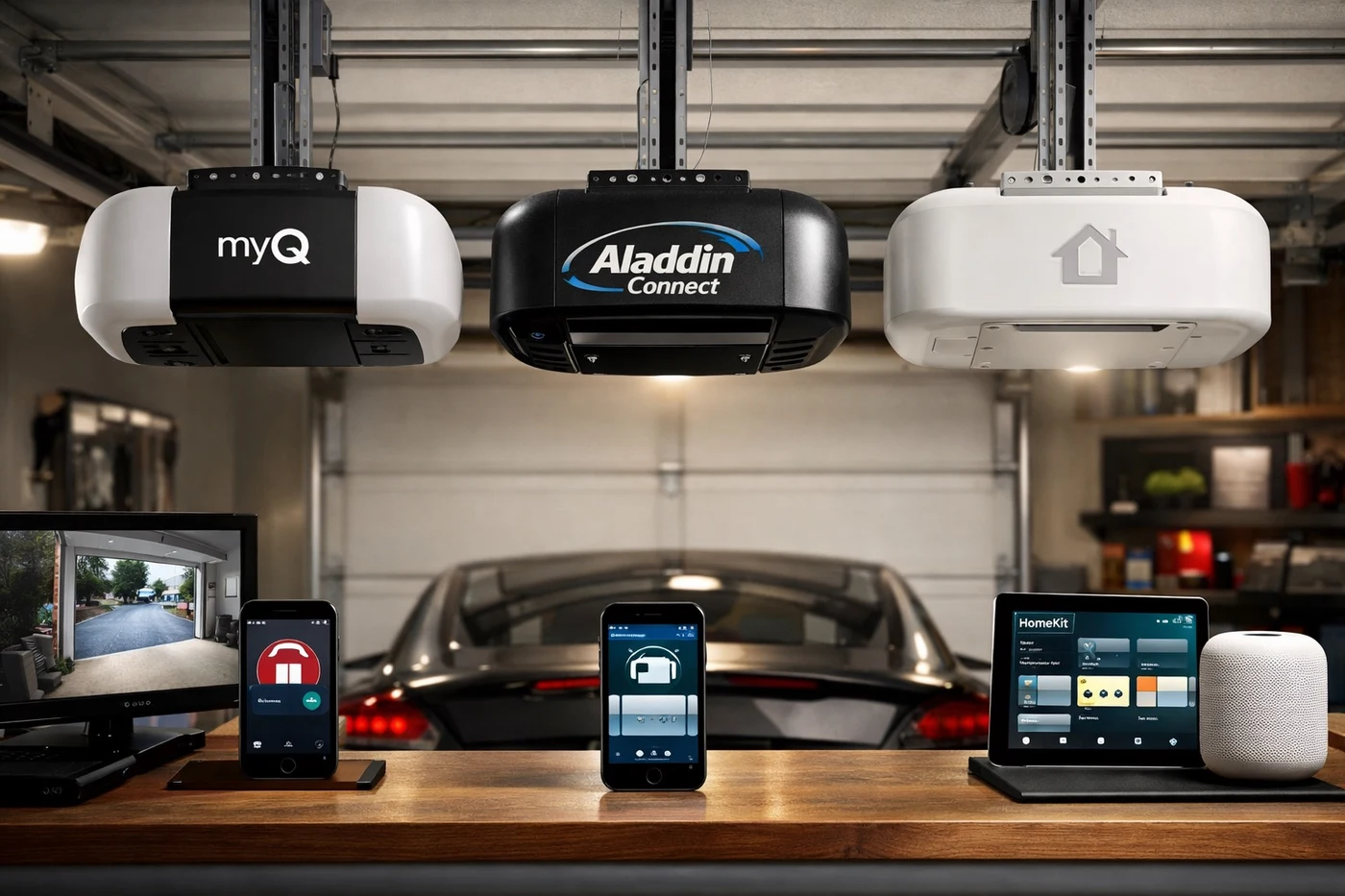
Smart openers connect to your home network through Wi-Fi, typically on the 2.4 GHz band. Once connected, they communicate with a cloud service operated by the opener manufacturer—MyQ for Chamberlain and LiftMaster, Aladdin Connect for Genie, or proprietary apps for other brands. When you tap “Open” on your phone, the command travels from your phone to the cloud, from the cloud to your opener’s Wi-Fi module, and from the module to the opener motor. Each step in that chain is a potential vulnerability.
The Primary Security Risks
Cloud Account Compromise
The most common way a smart garage door is compromised is through the cloud account that controls it—not through hacking the opener itself. If a criminal gains access to your MyQ, Aladdin Connect, or other platform account, they can open your garage door from anywhere in the world using only a smartphone. Weak passwords, reused credentials from other breached services, and lack of two-factor authentication are the primary causes of cloud account compromise.
Local Wi-Fi Network Vulnerabilities
If your home Wi-Fi network is not properly secured, an attacker within range can potentially intercept the communication between your phone and the opener, or between the opener and the cloud service. Older WEP and WPA encryption protocols are vulnerable to well-known attacks. Even WPA2 can be compromised through KRACK attacks if the router firmware is outdated. Utah Garage Doors has a resource on 10 reasons why garage door openers fail, and security misconfiguration is increasingly one of those reasons for smart models.
Rolling Code Replay Attacks
Traditional garage door remotes use rolling codes that change with each use, preventing code-grabbing attacks. Smart openers maintain this rolling code system for remote control but add the cloud-based control path, which bypasses the rolling code entirely. If the cloud account is compromised, the rolling code provides no protection because the command comes through the authenticated cloud channel rather than through the radio signal.
Securing Your Smart Garage Door Opener
Step 1: Strengthen Your Cloud Account
Use a unique password for your opener’s cloud account—never reuse a password from another service. Enable two-factor authentication if the platform offers it. Chamberlain MyQ added two-factor authentication in recent updates; check your app settings and make sure it is active. Change the default username if the platform allows it. Review the list of authorized devices in your account and remove any you do not recognize.
Step 2: Secure Your Home Wi-Fi
Use WPA3 encryption if your router supports it; otherwise use WPA2 with AES encryption. Disable WPS (Wi-Fi Protected Setup), which has known vulnerabilities that allow brute-force attacks on the network password. Update your router firmware regularly—many router manufacturers release security patches that address newly discovered vulnerabilities. Use a strong network password of at least 16 characters combining letters, numbers, and symbols. Consider placing your smart opener on a separate IoT network if your router supports VLAN or guest network isolation.
Step 3: Limit App Access
Only install the opener app on trusted devices. Do not share your account login—most smart opener apps allow you to invite family members as separate users with their own credentials, which is more secure than sharing a single account. Set up activity notifications so you receive an alert every time the garage door opens or closes. If you see activity you did not initiate, you know immediately that something is wrong.
Step 4: Add Physical Security Layers
Digital security should supplement physical security, not replace it. Install a lock on the inside of the garage door that prevents it from being lifted even if the opener is activated remotely. Consider a smart garage door sensor that alerts you when the door opens unexpectedly—separate from the opener’s own notification system, so you have a redundant monitoring layer. Utah Garage Doors provides guidance on manually opening a garage door safely, which also highlights the importance of having manual security measures in place alongside smart controls.
Las Vegas-Specific Smart Security Concerns
Las Vegas has unique factors that amplify smart garage door security risks. The city’s high tourism rate means short-term rental properties with smart garage door access are common, increasing the risk of credential sharing and unauthorized access. The transient population in some neighborhoods means more unfamiliar faces and vehicles near your home, making it harder to spot suspicious activity around your garage.
Additionally, the desert climate affects the physical components of smart openers. Extreme heat degrades the Wi-Fi module’s internal components over time, potentially causing intermittent connectivity that looks like a security event. Regular professional maintenance ensures that your opener’s electronics remain reliable and that any connectivity anomalies are caused by network issues rather than hardware degradation. Utah Garage Doors also covers garage door opener lifespan factors that include electronic component wear in harsh climates.
Protect Your Garage Door with the Diamond Service Club
By joining our exclusive Diamond Service Club, you get biannual professional inspections that include smart opener diagnostics, Wi-Fi module testing, and firmware verification. Members also receive priority same-day emergency service and discounted replacement parts. In a city where smart home technology is ubiquitous and security threats are evolving, that professional oversight keeps your connected garage door both convenient and secure.
What Our Las Vegas Customers Say
Frequently Asked Questions About Smart Garage Door Opener Security
Can someone hack my smart garage door opener?
Yes, but the most common attack vector is not hacking the opener itself—it is compromising the cloud account that controls it. Weak passwords, credential reuse from other breaches, and disabled two-factor authentication are the primary risks. Securing your cloud account with a strong unique password and enabling two-factor authentication prevents the vast majority of unauthorized access attempts.
Should I put my smart garage door opener on a separate Wi-Fi network?
If your router supports VLAN or guest network isolation, placing your smart opener on a separate network is a good security practice. It prevents other compromised IoT devices on your main network from being used as a stepping stone to access the opener. This network segmentation is especially recommended if you have many smart home devices on your primary network.
Do smart garage door openers use rolling codes?
Yes. Smart openers maintain the rolling code system for remote control use. However, the cloud-based control path bypasses rolling codes entirely because commands come through the authenticated cloud account rather than through radio signals. This is why securing your cloud account is more important than relying on rolling code protection when you have a smart opener.
What should I do if I notice unauthorized garage door activity?
Immediately change your cloud account password and enable two-factor authentication. Review the list of authorized users and devices in your account and remove any you do not recognize. Lock the interior garage door and add a physical lock to the garage door itself. Check your opener’s activity log for any unrecognized open or close events. Contact the opener manufacturer’s support for guidance on revoking compromised sessions.
Are older garage door openers more secure than smart models?
Older non-connected openers are immune to cloud-based attacks but are vulnerable to physical attacks like code grabbing and manual override. Smart openers offer monitoring and notification capabilities that older models cannot match, but they add the cloud account risk. The most secure approach is a smart opener with strong cloud account security, two-factor authentication, and physical locks as backup.